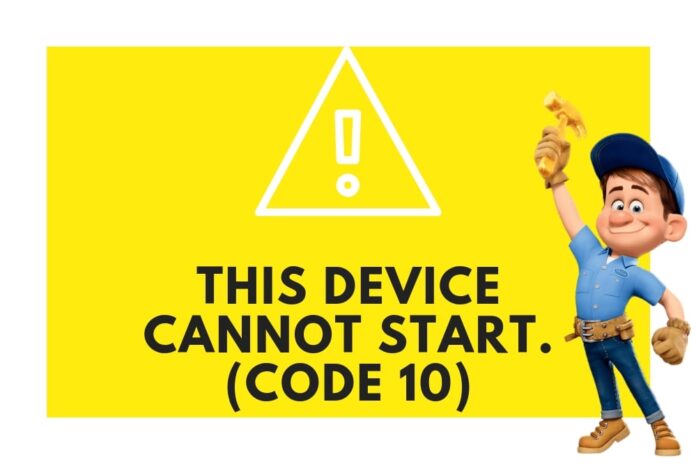

This device cannot start code 10 error is one of the common Device Manager error codes that you may easily encounter. This code 10 error is formed when Device Manager can’t start the hardware device. This type of condition is normally caused by outdated or corrupted drivers.
Some of the cases a device may also generate a “this device cannot start(code 10)” error when a generates an error that Device Manager doesn’t recognize. So for most of the cases, the Code 10 error is the general message indicating some kind of unspecified driver or hardware problem.
The Code 10 error will mostly display like below:
This device cannot start. (Code 10)
You can easily get the details about Device Manager error codes like Code 10 in the Device’s Properties -> Device Status. The Code 10 error is most common in USB and Audio devices, however, it can be generated for all other connected devices too.
The error Code 10 can be experienced around all versions of Microsoft’s operating systems which includes Windows XP, Windows Vista, Windows 7, Windows 8, Windows 8.1, Windows 10 and more.
How to Fix a Code 10 Error
1. Restart Your PC
For most of the cases, the error Code 10 was caused by some temporary problem in Device Manager or with the hardware. So like any other temporary problems, restating your pc might fix the Code 10 error.
2. Device Manager Fix
For some cases, the error Code 10 appears just after you made some changes in Device Manager. If the same thing is happening with you then follow the below options to fix the issue.
Note: If you remember the changes you have made then just revert back to previous changes and reboot your pc. This will resolve the issue once for all.
- Uninstall or reconfigure the recently installed device
- The best option is to roll back the driver to a version prior to your update
- You can also perform a System Restore to undo recent Device Manager related changes
- Uninstalling and then reinstalling the drivers for the device which is a simple solution to the Code 10 error.
If you are not aware of the above processes then its best to contact your device manufacturer remote support or Microsoft remote support through Microsoft Chat to do it for you.
3. Update Windows
Install the latest Windows service pack. Microsoft frequently releases service packs and additional patches for Windows which are essential to run your Windows smoothly without any error. So check for any available updates through Settings-> Update & Security-> Windows Update. This will probably eliminate Code 10 error for you.
4. Replace The Faulty Hardware
Replacing the hardware is the last thing you might do with your pc. Diagnose your Pc first and if you found that the Device itself is the problem or the device is not compatible with your version of Windows then replace it with a new one which will probably resolve the error Code 10.
5. Repair or Install Windows
If you’re confident that a hardware problem isn’t causing the Code 10 error then you can try to repair Windows. If that doesn’t work, go for a clean install of Windows. I don’t recommend doing both before you replace the hardware, but you may have to give them a try if you’re out of other alternatives.
Also Read:
- HMU: Facts, What does HMU Mean and How to Use It
- How To Insert A Line In Word: Microsoft Word Tips
- What Does Upside Down Smiley Mean? Facts Explained
Note: Device Manager error codes are restricted to Device Manager, so If you see the Code 10 error elsewhere in Windows, the possibilities are it’s a system error code or a software-specific error. In those cases, you should not troubleshoot them as a Device Manager issue.