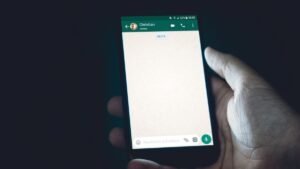
WhatsApp has been widely used for communication purposes. Initially, the messaging app is used in mobile but besides that, it is also used on the web through WhatsApp Web.
WhatsApp Web is a desktop version of WhatsApp Messenger unveiled on 21 January 2015 for Android, blackberry, and Windows phone users only. However, later the company launched it for ios and Nokia users as well.
Whatsapp Web is the version of WhatsApp that can be used to send and receive messages right from your computer quickly. The messages you receive and send are synced between your computer and smartphone, and you can see all those messages on both devices.
Here’s how to use WhatsApp Web:
- Visit web.whatsapp.com on your Pc/Laptop.
- On your phone, tap on the three-dotted menu and select WhatsApp Web.
- It will ask you to scan the QR code on your Pc/Laptop.
- Once it’s scanned, your WhatsApp account will be connected to your Pc/Laptop.
- Check your chats, send and receive messages, and make calls.
- Once you’re connected to WhatsApp Web you won’t need to log in again.
Also Read:
- Alexa Having Trouble Understanding Right Now – Solved
- What Does RN Mean? RN Definition & Meaning Explained
WhatsApp Web is just a web client of WhatsApp as it needs the main device to stay connected to the internet. When you stay away from your Pc/Laptop for long enough, your WhatsApp Web will be disconnected because of inactivity.