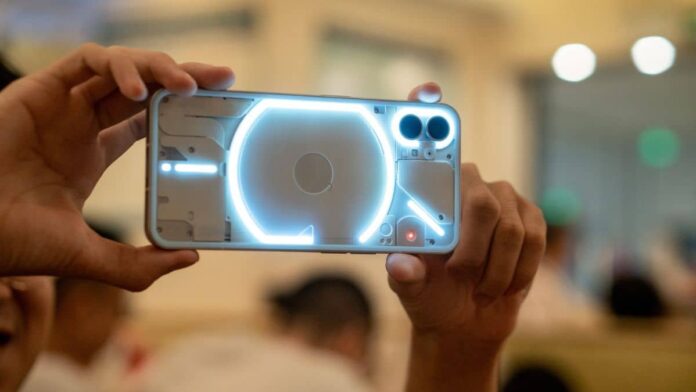

Last week, Nothing published the stable Nothing OS 2.5 upgrade for the Phone 2. The Carl Pei-backed UK-based startup is now releasing the Nothing OS 2.5 open beta 1 for its first smartphone, the Nothing Phone 1.
The new firmware, which is based on Android 14, adds various new security and privacy capabilities to the handset, as well as Glyph enhancements. With the latest update, the Nothing Phone 1 will get a revised home and lock screen personalization page. It adds new widgets, increases camera stability, and improves system stability.
Nothing announced the release of Nothing OS 2.5 open beta 1 for the Phone 1 via its official X account. According to the changelog posted on Nothing’s community forum, the current update adds some fundamental Android 14 features to the list of Nothing OS updates.
Phone (1) users, open for a surprise pic.twitter.com/wMIKirblZB
— Nothing (@nothing) December 19, 2023
Nothing OS 2.5 open beta 1 has a new home and lock screen customizing page. It includes an atmospheric wallpaper effect that converts a backdrop photo into a wallpaper by adding motion to the colors on the home screen. The update offers monochrome color themes and solid color wallpapers.
Nothing OS 2.5 also has a configurable double-press power gesture button for quick access to a selected feature with a single tap. This is accessed by going to Settings > System > Gestures.
New lock screen shortcut options include Do Not Disturb, Mute, QR code scanner, and video camera. The new software includes a new screenshot editor and menu, as well as a three-finger swipe gesture for capturing screenshots.
With the Android 14 beta update, Nothing Phone 1 receives new widgets. A new pedometer widget to count steps, a media player to display currently playing songs, and a screen time widget to monitor daily screen time are among them.
To use the new widgets, Phone 1 users must upgrade their Nothing Launcher and Nothing Widgets apps to the latest version available on the Google Play Store.
Also Read:
- Chrome OS Is Missing or Damaged: Tips to Fix This Error
- Android vs iOS: Which Mobile OS Is Better for You and Why?
Furthermore, Nothing OS 2.5 adds a new Glyph animation for when NFC is being used. It also optimizes the Flip to Glyph experience while improving Quick Settings and camera stability.
Users must confirm that their Phone 1 is running the most latest version of Nothing OS before installing the Nothing OS 2.5 open beta 1. They must first obtain the Install Beta APK.
Users can download the update after installing it from the downloads by going to Settings > System > Update to Beta version. It is recommended that you update the handset while it is charging and connected to a strong Wi-Fi network.