
Sharing files between Android and iPhone may appear challenging due to differences in operating systems, but different methods make the procedure straightforward and quick. Most Apple users use AirDrop, which allows you to rapidly share files and images between iPhones, iPads, and Macs via Bluetooth. But unfortunately, you can’t use AirDrop to share files between Apple and Android devices, or vice versa.
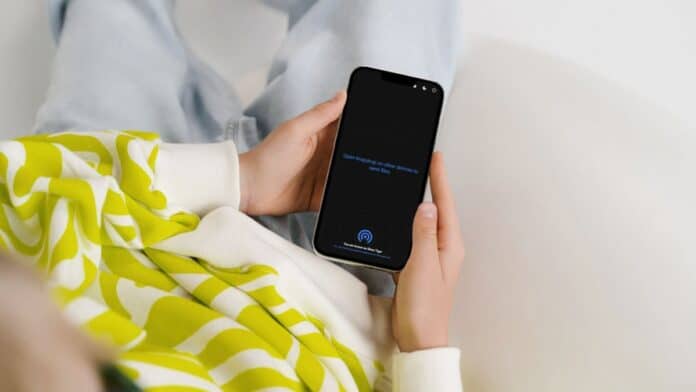
If you need to transfer images, documents, music, or other types of files, then the quickest method is to use Snapdrop, a free third-party service that works with desktop and mobile browsers such as Chrome, Firefox, Opera, and Safari (there is also an Android app).
Once you’re on the website, it allows you to quickly exchange files, photos, and movies between any device, even Windows and Linux can use it without ever needing to sign in. One of the best things about Snapdrop is that it is simple to use. There is an option to enable dark mode, apart from that it’s just about moving files from one device to another.
How To Share Files Between Android and iPhone using Snapdrop
- First, pick your Android smartphone having the files you wish to transfer.
- Connect it to a Wi-Fi network and open a mobile web browser, such as Chrome.
- Now visit https://snapdrop.net.
- As soon as the Snapdrop website loads, take note of the name given to your device.
- Now, grab the iPhone you want to use to receive a file.
- Make sure you connect the device to the same Wi-Fi network.
- Again, open a mobile browser like Safari and navigate to https://snapdrop.net. This device will additionally get a name.
- Now to exchange a file make sure both devices display the other device’s name, indicating that a connection has been established.
- On the device containing the file, tap the name of the device with which you want to share the file.
- You’ll now have a few options. There will be slight differences depending on the device from which you are sending files. But, in general, you can browse existing files or take a fresh picture or video.
- On Android, tap Files to browse your device, then locate and pick the file you want to share. Alternatively, tap Camera to take a photo or “Camera Video” to record a video, next, tap the blue tick to confirm that you’re satisfied with the image or video.
- On iPhone, tap Choose Files to browse your device, then locate and choose the file you wish to share. Tap “Take Photo or Video” to record a new image or video, then tap “Use Photo.”
- The iPhone version of Snapdrop also has the option to tap “Photo Library” to quickly browse your saved photos. Select a picture to send and tap Add.
- In a moment, the file you select (or the photo or video you just captured) will be transferred to the other device. You can now download it by tapping the Save button. If you made a mistake, tap Ignore.
- To skip this step and receive a file download right away, uncheck the box next to “Ask to save each file before downloading.”
Also Read:
Conclusion
Sharing files between Android and iPhone can be done through several methods, ensuring seamless communication and collaboration between different operating systems. Cloud storage services such as Google Drive, Dropbox, and OneDrive offer a universal solution for file sharing, allowing users to upload and retrieve files from any device with an internet connection.
Understanding and using these different methods allows users to overcome the challenges of file sharing between Android and iPhone, assuring efficient and convenient information transfer. Whether for personal or professional use, these tools and strategies allow you to bridge the gap between different mobile operating systems.